Create anything. Locally.

Images. Video. 3D. Audio. Chat. Mac app. Linux CLI. Local API.

Downloads Linux QuickStart GitHub source Open source under MIT · release assets listed live
macOS app Linux x86_64 Linux aarch64 CUDA DGX Spark Blackwell

Install paths

One runtime. Multiple hosts.

mere.run is a cross-platform local inference runtime: Mac app and CLI for Apple Silicon, headless Linux packages for x86_64/amd64, and a CUDA arm64/aarch64 lane for DGX Spark-class NVIDIA Blackwell hosts where 128GB unified memory is the standard.

macOS Apple Silicon

The full local runtime path: signed DMG, SwiftUI studio, bundled CLI, optional Codex skill, and Metal-backed model execution.

  • Primary hands-on validation environment.
  • DMG is signed, notarized, and versioned.
  • Best path for local creative workflows today.

Linux x86_64 CLI

Headless CLI packages now ship on GitHub Releases as a portable tarball and Debian package. No SwiftUI studio, no DMG layout.

  • Release workflow verifies tarball, .deb, runtime libraries, and SHA256SUMS.
  • CPU-oriented CI baseline; CUDA stays optional local validation.
  • Current x86 CUDA validation is limited to hosts with up to 16 GB VRAM.
For server and workstation Linux lanes that do not need the Mac app shell.
Agent-assisted install

Choose the host. Copy the prompt.

Let your agent pick the right attached release asset, install into your home directory, verify the CLI, and stop if the machine does not match the platform lane. The arm64/aarch64 CUDA flavor is built for DGX Spark-class NVIDIA Blackwell Linux hosts where 128GB unified memory is the normal target.

  • macOS uses the signed DMG and can install the optional use-mere-run skill.
  • Linux x86_64/amd64 uses the portable CLI tarball from GitHub Releases.
  • Linux arm64/aarch64 is the DGX Spark / Blackwell CUDA lane and checks for a real CUDA host first.
agent-install-macos.txt
You are helping me install mere.run locally on this Mac.

Rules:
- Do not use sudo.
- Do not edit shell profiles unless I ask.
- Prefer user-local install paths.
- Read release metadata from https://mere.run/.well-known/mere-run/release.json.
- Stop and explain if the latest macOS DMG URL is missing or the DMG mount fails.

Steps:
1. Resolve the latest macOS DMG URL:
   release_json="$(curl -fsSL "https://mere.run/.well-known/mere-run/release.json")"
   dmg_url="$(printf '%s' "$release_json" | python3 -c 'import json,sys; data=json.load(sys.stdin); print((data.get("downloads") or {}).get("macos_dmg") or data.get("download_url") or "")')"
   test -n "$dmg_url" || { echo "No macOS DMG URL found in release metadata."; exit 1; }
2. Download the DMG to a temporary folder:
   work_dir="$(mktemp -d)"
   dmg_path="$work_dir/mere-run.dmg"
   curl -fL "$dmg_url" -o "$dmg_path"
3. Mount the DMG, or reuse it if it is already mounted:
   hdiutil attach -nobrowse -readonly "$dmg_path"
   volume=""
   for candidate in "/Volumes/mere.run" /Volumes/mere.run* /Volumes/MereRun* "/Volumes/Mere Run"*; do
     if [ -d "$candidate" ] && [ -x "$candidate/.mere-run/install.sh" ]; then
       volume="$candidate"
       break
     fi
   done
   if [ -z "$volume" ]; then
     echo "Mounted the DMG, but could not find the mere.run volume."
     hdiutil info
     exit 1
   fi
4. Verify the mounted volume contains MereRun.app plus .mere-run/install.sh:
   test -d "$volume/MereRun.app"
   test -x "$volume/.mere-run/install.sh"
5. If /Applications/MereRun.app is missing, copy the app there:
   if [ ! -d "/Applications/MereRun.app" ]; then
     ditto "$volume/MereRun.app" "/Applications/MereRun.app"
   else
     echo "/Applications/MereRun.app already exists. Leaving it in place."
   fi
   If the copy is denied, tell me to drag MereRun.app to Applications, then continue with CLI and skill setup.
6. Install the CLI to ~/.local/bin/mere.run:
   mkdir -p "$HOME/.local/bin"
   MERERUN_INSTALL_BIN_DEST="$HOME/.local/bin/mere.run" "$volume/.mere-run/install.sh"
7. Install the bundled use-mere-run Codex skill if it exists:
   skill_source=""
   for candidate in "$volume/MereRun.app/Contents/Resources/skills/use-mere-run" "$volume/.mere-run/skills/use-mere-run"; do
     if [ -d "$candidate" ]; then
       skill_source="$candidate"
       break
     fi
   done
   if [ -n "$skill_source" ]; then
     mkdir -p "$HOME/.codex/skills"
     rm -rf "$HOME/.codex/skills/use-mere-run"
     ditto "$skill_source" "$HOME/.codex/skills/use-mere-run"
   fi
8. Verify the CLI:
   "$HOME/.local/bin/mere.run" --help
   "$HOME/.local/bin/mere.run" model capabilities --recommended
9. Pull the starter image model:
   "$HOME/.local/bin/mere.run" model pull image-zimage-nano
10. Generate and open the first image:
   "$HOME/.local/bin/mere.run" image generate --model image-zimage-nano --prompt "a ceramic mug in soft morning light on a walnut desk" --width 1024 --height 1024 --steps 8 --seed 2026 --output "$HOME/Desktop/mere-first-image.png"
   open "$HOME/Desktop/mere-first-image.png"

At the end, tell me where the app, CLI, skill, model store, downloaded DMG, mounted volume, and image are.

One toolkit. Local.

Images, video, music, voice, chat, code, OCR, embeddings, and local API serving — full creative stack on macOS, x86_64/amd64 Linux CLI packages, and arm64/aarch64 CUDA builds for DGX Spark-class NVIDIA Blackwell hosts.

CREATE
Images

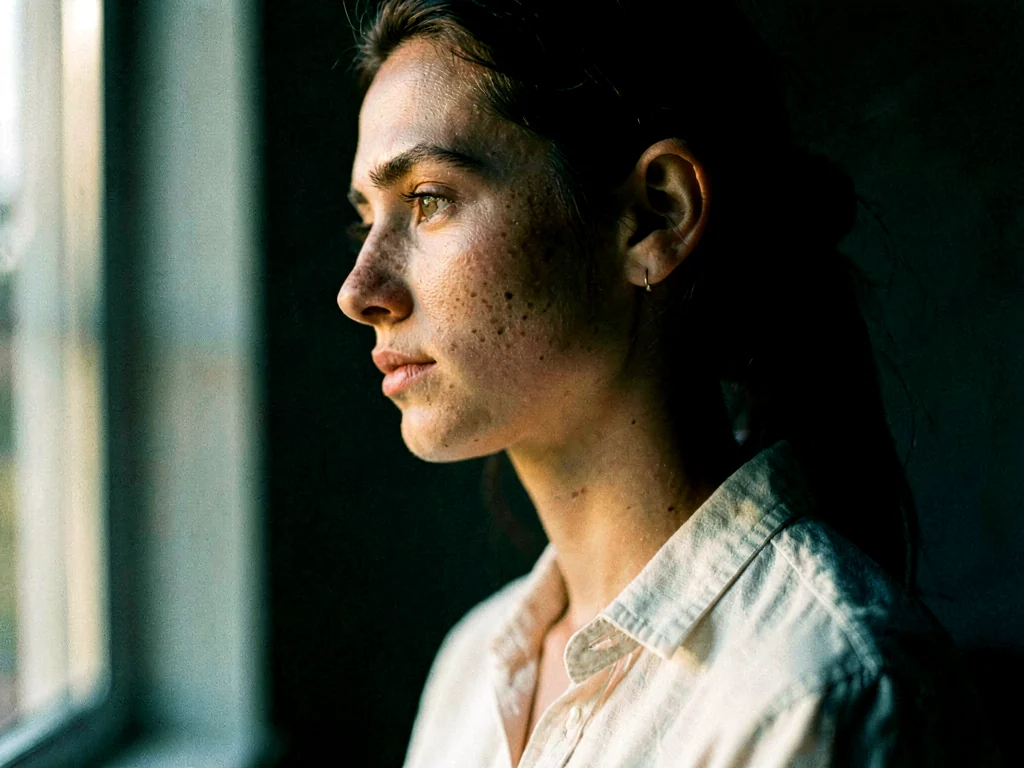
Two model families. LoRA adapters. Image-to-image. Custom styles.

mere.run image generate --prompt "a portrait in oil paint style"
CREATE
Video

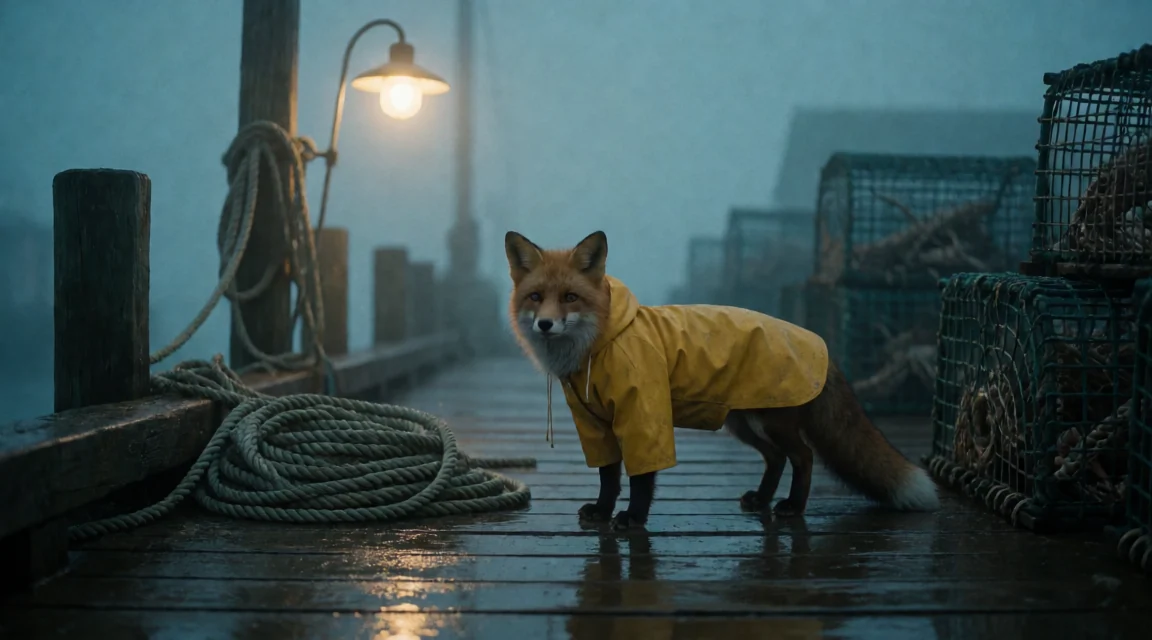
Text-to-video and image-to-video. Native LTX pipeline on Metal.

mere.run video generate "timelapse of clouds over peaks"
CREATE
Music

Generate tracks, remix, cover vocals. ACE-Step with lyrics and BPM.

mere.run music generate "upbeat groove" --bpm 120
INTERACT
Chat

122B-parameter LLM running locally. Code generation. Multi-turn.

mere.run text chat --prompt "explain diffusion models"
INTERACT
Voice

Text-to-speech with voice cloning. Save and reuse voice profiles.

mere.run speech synthesize "Hello world" --output hello.wav
INTERACT
Listen

Transcribe and translate audio. Streaming ASR. Timestamps.

mere.run speech transcribe recording.wav --backend auto
MANAGE
Models

List capabilities. Pull managed models. Inspect installs. Repair manifests.

mere.run model capabilities
UNDERSTAND
Vision & OCR

Describe images. Extract text. Caption datasets for training.

mere.run vision inspect photo.jpg "what is this?"
SERVE
API Server

OpenAI-compatible endpoint. Drop into Cursor, VS Code, any client.

mere.run api serve --engine text-chat-gemma4
mere.

Every capability at your fingertips. One command away.

~/projects · zsh
$ mere.run image generate --prompt "an astronaut painting on the moon" image-zimage-nano · 1024x1024 · → astronaut_moon.png
$ mere.run video generate "timelapse of a flower blooming" video-ltx-av · 768x512 · → flower_bloom.mp4
$ mere.run speech synthesize "Welcome to Mere" --output welcome.wav speech-tts-qwen3-nano · → welcome.wav
$ mere.run text chat --prompt "explain fine-tuning diffusion models" text-chat-gemma4 · streaming response...
$ mere.run music generate "rainy neon diner rockabilly" --bpm 90 music-acestep · → rain_walk.wav
$ mere.run api serve --engine text-chat-gemma4 OpenAI-compatible local API running at http://127.0.0.1:8080
AGENT NATIVE

Built for humans.
Built for agents.

Mere is a first-class tool for AI agents. Claude Code, Cursor, and any OpenAI-compatible client can invoke every capability — image generation, video, music, TTS, chat — through a single CLI or API endpoint. Your machine becomes an AI compute layer that both you and your agents share.

  • mere.run agent onboard — configure local agent workflows
  • mere.run api serve — OpenAI-compatible local API for editor and agent clients
  • CLI-first — every command is scriptable and composable
claude code · session
CLAUDE CODE
> Generate a hero image for the landing page
Using /mere-run to generate image...
$ mere.run image generate --prompt "minimal product hero,
clean composition, studio lighting" --width 2048
image-zimage-max · 2048x1024 → hero_landing.png saved
Image generated. Adding to page layout.
Mere apps

Apps can ask for what they need.

The public Mere CLI can now orchestrate this runtime for Mere apps. It resolves an existing mere.run binary, builds from source, or installs a verified release artifact, then pulls the local models requested by an app.

  • mere setup mere-run prepares the runtime.
  • mere setup mere-run models --app media pulls Media's ASR and embedding models.
  • Execution still happens locally on the user's machine.
mere apps · setup
$ npm install -g @merekit/cli installs the public Mere command plane
$ mere setup mere-run --json runtime ready · existing binary, source build, or verified release artifact
$ mere setup mere-run models --app media --json speech-asr-parakeet · text-embed-qwen3-0.6b
$ mere media process ./interview.m4a --transcribe --embed transcript + searchable segments generated locally

Local-first.

Near-zero operating cost. No cloud. No subscription fatigue.

Nothing leaves your machine.

No server. No upload. No telemetry. Your prompts are yours.

Open source. Free forever.

MIT licensed with source on GitHub. Built in Prince Edward Island for the people who keep the world running.

The Showcase

One scene.
Every modality.

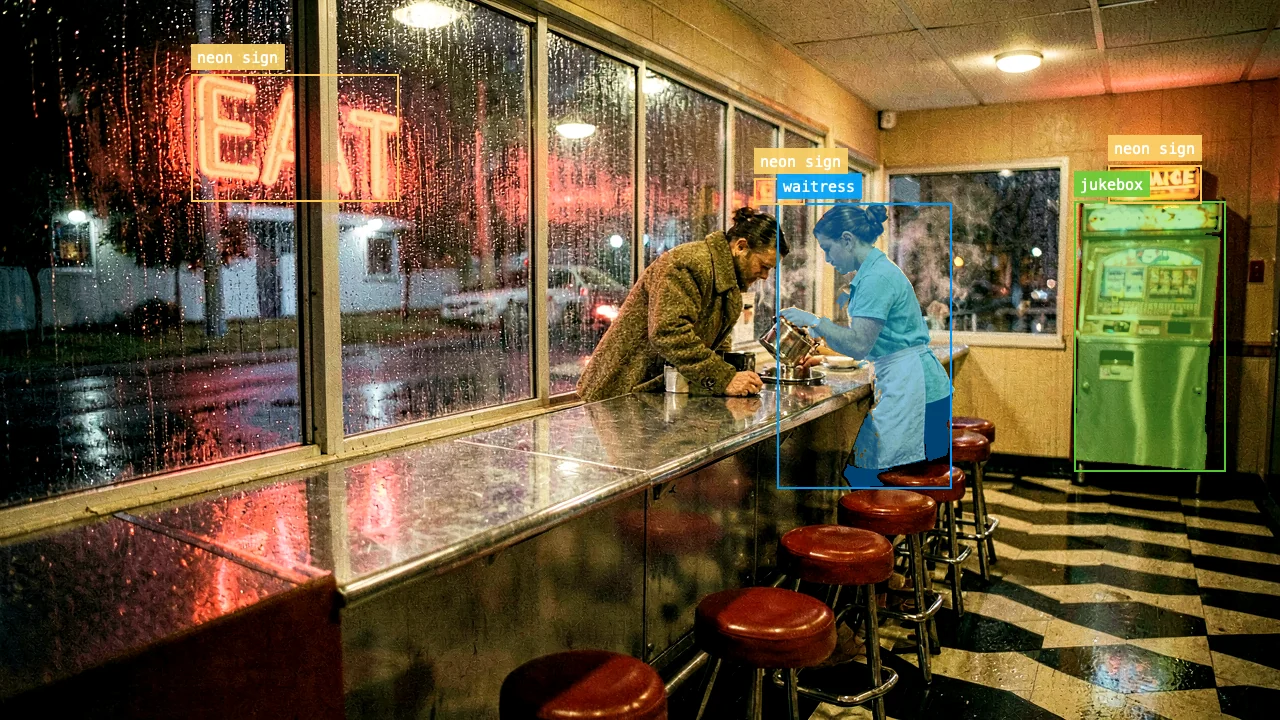
From a single creative seed — a 1950s American roadside diner, just before midnight, in heavy rain — Mere generated text, a photograph, open-vocabulary object detection and segmentation, narration, a full-production song with lyrics, two cinematic videos, working Swift code, and embeddings. All locally on a MacBook. In about four minutes.

$ bash ~/mere/run/demo.sh 9 modalities · 13 artifacts · 0 cloud calls · ~4 min on M-series
Image + Vision · klein-nano + Falcon Perception
Generated 1950s diner scene with Falcon Perception object detection and segmentation overlays.
waitress · 0.95 jukebox · 0.92 neon sign ×3
Text · Creative gemma4 · 0.85t
"The door exhales a draft of ozone and wet asphalt, yielding to a sanctuary of humming neon and scorched lard. Inside, the air is a thick, amber suspension of tobacco smoke and percolating coffee…"
— mere.run text chat · 512 tokens $ mere.run text chat --prompt "describe a 1950s diner…"
Video · LTX 768×512 · 65f · 24fps

Establishing shot, dolly-in

Native LTX pipeline on Metal. Text-to-video from the same scene description.

Video · Image-to-Video 33f · seeded by hero

The still comes to life

Animated directly from the generated photograph — steam, headlights, jukebox glow.

Music · ACE-Step G major · 88 BPM · 60s

"Honey, stay one more song with me"

Full vocal production. Vintage rockabilly, brushed snare, twangy reverb-soaked Telecaster, doo-wop backing vocals, a soft tenor sax solo. Written and arranged from a single prompt + lyrics file.

Honey stay one more song with me
Underneath the chrome and the canopy
Red vinyl shining in the smoky light
Save me from the lonely night
Speech · TTS → ASR qwen3-nano · parakeet

The text, spoken back.

Synthesized in a deep documentary voice, then transcribed with timestamps. Round-trip never leaves the machine.

[00:00 → 00:08] The door exhales a draught of ozone…
[00:08 → 00:18] Inside, the air is a thick, amber suspension…
[00:18 → 00:27] Outside, the rain hammers the plate glass…
Code · Swift qwen3-coder · streamed
mandelbrot.swift
/// Computes the Mandelbrot set for a given grid of complex points.
func generateMandelbrotSet(
    width: Int,
    height: Int,
    bounds: ComplexPlaneBounds = .default,
    maxIterations: Int = 100
) -> [[Int]] {
    var mandelbrot: [[Int]] = .init(repeating: .init(repeating: 0, count: width), count: height)
    let xStep = (bounds.right - bounds.left) / Double(width - 1)
    let yStep = (bounds.bottom - bounds.top) / Double(height - 1)
    for y in 0..<height {
        for x in 0..<width {
            let cx = bounds.left + Double(x) * xStep
            let cy = bounds.top + Double(y) * yStep
            mandelbrot[y][x] = iterate(cx: cx, cy: cy, max: maxIterations)
        }
    }
    return mandelbrot
}
compiled · rendered · 0.30s
Mandelbrot overview rendered locally
Seahorse Valley zoom rendered locally
Vision · Falcon Perception grounding + masks

Knows what it sees.

The same image fed back into Mere's vision stack: open-vocabulary object grounding with pixel-perfect masks.

waitressbox (0.61, 0.28) → (0.74, 0.68) jukeboxbox (0.84, 0.28) → (0.96, 0.65) neon sign3 detections · masks saved
$ mere.run vision ground hero.png --query "waitress"
Embeddings · qwen3-0.6b cosine similarity

Same Mac. Semantic search ready.

Three sentences embedded locally. The two diner-related sentences cluster together; the cat sits alone.

"rainy 1950s American diner late at night"
↔ "neon-lit chrome counter and red vinyl booths"
cosine0.510
"neon-lit chrome counter and red vinyl booths"
↔ "a cat sitting on a windowsill"
cosine0.351
"rainy 1950s American diner late at night"
↔ "a cat sitting on a windowsill"
cosine0.293
Every artifact above was generated by ~/mere/run/demo.sh · no cloud · no edits · the script is in the repo.